Copyrightimage helps out with “The Hunt”

thehuntOne of the larger projects I have been working on earlier this year was the image grading and colour prep on the stills images for the BBC presentation of The Hunt (airs tonight BBC1 9pm).

I was very pleased to be asked by the producers to help translate the Ultra High Definition video frames shot on a variety of 4k, 5k and other formats into the book as well as  publicity material for the programs

Following on from my stills grading work on “Frozen Planet” I had a variety of image formats sent to me from RAW stills and RED video files for the main production to “behind the scenes” images shot in Jpeg and other formats.

As before it was my job to colour grade and balance the images to get across the content of the images and ensure that cast removal, contrast problems and framing issues were resolved so as to provide a consistent and coherent sets of images across the pages.
The work involved using RED Cine-X Pro for the video raw conversions and Photoshop to do most of the work with Lightroom acting as a visual database. Image delivery was via Google Drive and Dropbox.

As always it was very important to keep the veracity and integrity of the subject matter, having many wildlife photographers as clients help me judge things correctly and any local work is done to bring out detail in shadows/highlights to better capture the reality of the scene.

The book is available now, a good alternative to Amazon is Hive – The Hunt

If you or your organization are experiencing problems with stills image grading / retouching then please feel free to get in touch, I offer a professional and confidential service with full colour management and a quick turn round.
All retouched images can be provided in “packs” so each image results in a 16 bit master image for archiving , an 8 bit sharpened print tiff file for print uses  and a quality 10 sRGB Jpeg for correct colour in web and other “on screen” uses. I can also size and sharpen for a specific print size in CMYK and get the most of out each image on the page.
Alternatively I can offer onsite training to your technical operators to show them how to get the most out of UHD video and stills images files when generating publicity or products from your productions.

Stephen


Clients Advisory: Lightroom 6.2 CC 2015.2


lr-1Adobe have updated Lightroom 6 and CC today to version 6.2 (CC 2015.2)

I would advise clients not to apply this update yet as it significantly messes around with the critical import process.

Not only does it lose functionality (including the live destination tree view) it is also slower and buggier.

As most clients have a very structured import process that relies on presets to get the most efficient workflow I’m afraid preset access is now buried in the sub menu of a separate page when running the import.

I’m working through the new system now to try and engineer a replacement workflow that is as efficient so please bear with me whilst I do this. Once it is done I can advise each client on the best route for them.

It would appear that Adobe have changed the import process to simplify it for home users, the kind of people who use Photoshop elements rather than Photoshop. It would have been nice to have the option not to use this cut down version but Adobe have their own opinions.

Microsoft did something similar with Windows 8, they removed the start menu, the result was not good (until Windows 10 put it back), I don’t think Adobe have quite done a Microsoft but judging by feedback on the forums users are not best pleased by Adobes actions.

If the engineers at Adobe need something to do then I have plenty of useful suggestions including:

Managing duplicate images (retaining collection status)
File corruption checking of images
Larger curves adjustment boxes (sizable for other controls also)
Presenting a copyable
url for the web gallery uploads
….


Updates and catchups

Its been a busy few months here at Copyrightimage, lots of special retouching / book projects I cannot reveal the details of just yet, here are some updates:

WPOTY:
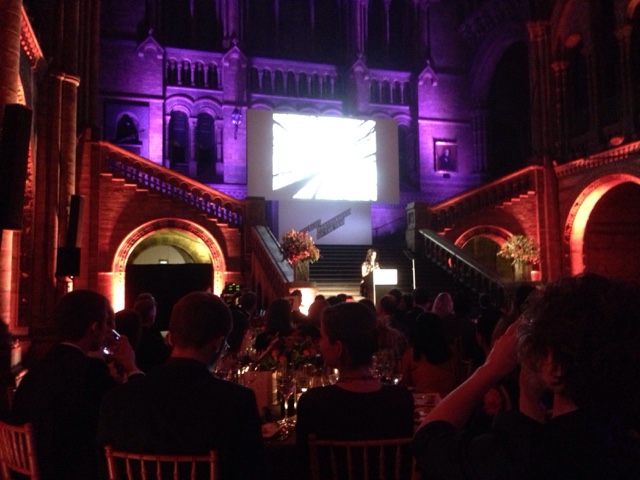
Very pleased to have been asked to attend the Awards Ceremony for Wildlife Photographer of the Year on the 13th October at the Natural History Museum, looking forward to meeting the winners on the night, perhaps they will not all be strangers?. If your attending then please make sure you say hello.


Video:
Recent work commitments means that I’m little behind on producing the “how to” videos but this will be sorted soon with the next entry in the series and some new quick tips in a shorter format that will be easier to produce.

Windows 10:
Having tested Windows 10 thoroughly on several computers I have now installed it on my main workstation. No problems so far and things are a little smoother so I’m happy with that.

I did check things over before making the jump so if you don’t have a second or third machine to test all your older programs / peripherals yourself you may wish to hold off the update. If in doubt give me a call.

File delivery:
Clients wishing to send images for retouching may wish to do so via Dropbox. My Dropbox account is stephen@copyrightimage.co.uk.

I find Dropbox to be the most reliable and flexible method of sending and receiving large files. I have an account with 1TB of space but you don’t need a paid account to share up to 2GB of files on a continuous basis. If you prefer an ftp account then that is still available from me also.

Imaging developments:
Its been another quiet year in imaging terms with no major developments, perhaps a good thing as it helps firm up standards and knowledge.

The new cameras and lenses have improved detail in images and I’m seeing some fine RAW files being delivered to me, I’m expecting an increase in Sony files within the next 12 months.

Benq has joined Eizo and NEC in producing a dedicated monitor for retouching. I have not had chance to see one in action yet so cannot give an immediate buy signal for those on a smaller budget but it does look promising: http://shop.colourconfidence.com/product.php/5602/benq-sw2700pt-pro-27in-ips-lcd-monitor

Adobe’s Creative cloud is still blocking the sun on program licensing but the Photographers bundle of Photoshop and Lightroom is well priced and is a consideration if CS6 is getting a little old for you. In fairness to Adobe they seem to have backed off with their aggressive sign in requests and the new annual plan is more like an upgrade cost than the monthly tax version.

As always, a pleasure to work with some great images this year, looking forward to seeing more and helping others get the most out of their photography and special projects.

Stephen Johnson


Advisory: Clients buying bare hard drives


scanIm currently building and configuring a 6 Terabyte NAS for a client and have taken delivery of the two hard disks for the small device (its going to be raid 1 to duplicate images files in the case of one disk failing)


Good to see that www.scan.co.uk still pack bare hard disks correctly, an excess of layered well taped bubble wrap its one of the reasons I recommend them to my customers (I dont get any kickback from Scan btw).

The worst supplier for buying hard disks is Amazon, they pack the drives as if they were paperback books with no effective protection, they will of course refund you for obviously broken disks damaged in transit but the disks that appear to work “for a while” are not the kind you need. Never buy disks from Amazon.

Lightroom 6 advisory for users experiencing poorer speeds than usual

lightroom6Whilst Lightroom 6 has added a few minor extras compared to Lightroom 5 it was disappointing to find that performance is still pretty poor, even with a supported video card.

For users that have been experiencing heavily degraded performance compared to Lightroom 5.7 you may want to check your video card, it looks like Adobe and ATI are not as in sync as Adobe and nVidia, you can read more about the problem on the Adobe site: https://helpx.adobe.com/lightroom/kb/lightroom-amd-graphics-cards.html

Read more


Wildphotos Notes


Many thanks for the patience of the people who attended my Imaging workshop at Wildphotos towards the end of last year.

A combination of urgent retouching work and an increasing desire to put more and more detail down on paper meant that the promised notes took a back seat untill recently.

Part of the reason being that because the workshop subject matters were quite wide ranging it did attract people with a wide range of abilities and skills from beginner to advanced.

My desire is to cover the whole range and therefore I have decided to split the notes up into separate sections and release them together with an accompanying video which can explain more than written notes alone.

Producing videos also allows me to split a subject into beginner / advanced versions.

The first video is now on YouTube and you can watch it here: https://www.youtube.com/channel/UC9OBX0zaT_TyYPrIAkftK8w 

(If you watch it on YouTube you can select HD from the viewing options and see it in its 1920×1080 full screen mode) (A small low res can be viewed above):

You can find notes about the items covered in the video by downloading the accompanying PDF here: https://www.copyrightimage.com/video/video01/Video 1 introduction.pdf

You may recall the retouching environment was just one of the many topics covered in the talk, I intend to cover all the subjects from the talk – and also the ones we couldn’t cover because of time.

I have a provisional list of the titles for videos I will be producing over the coming months here:https://www.copyrightimage.com/video/VideoList.pdf 

All these videos and all their accompanying notes and resource files will be available to workshop attendees for no charge, if you attended the workshop and have not yet given me your email address then please email me with your details so you can see more videos as they are produced.

Future videos and notes may be made available to people who didn’t attend the workshop for a fee.

Please feel free to send feedback.

Many thanks

Stephen