
Client News – Clive Nichols

Client News is a new section on Copyrightimage, it will allow clients exposure of their projects and give an understanding of how good digital imaging workflow can produce real world results.
Clive Nichols one of the worlds leading garden photographers is planning two photographic workshops at the beautiful garden at Pettifers this year, here are the details:
Pettifers Garden and Photography Master Class with Clive Nichols
Tuesday May 10th 2016 and Tuesday 20th September 2016
10am – 4pm
Venue:
Pettifers,
Lower Wardington,
Banbury,
OX17 1RU
Clive is pleased to announce that he has secured two workshops at one of the country’s leading gardens. Pettifers, in the lovely Oxfordshire village of Wardington. The garden is owned by renowned plants woman Gina Price who has created a stunning garden crammed full of choice plants.
The day will begin with a talk on garden and flower photography by Clive followed by practical sessions in the garden. Clive is a very experienced teacher who will guide you through the techniques that have made him into one of the world’s leading flower and garden photographers
Fee: £100 per person
Maximum capacity 20 places in May, 20 places in September
Skill level: General
includes lunch with wine and refreshments
Plan your journey to Pettifers here: https://goo.gl/TlGK03
Client Advisory – Keywording

As many of you know (and hate!) captioning and keywording is an important part of the imaging workflow.
Whether searching a large collection or preparing a batch of images for market a good caption and set of keywords is important.
Lightroom does not come with a structural set of keywords to help you build a proper keywording tree so you either have to make your own from scratch or you buy a ready made “base” one that you can adapt and grow to your own needs.
Up till now I have been recommending a US based list to clients but have recently come across a competitively priced list that is both logical and deep, Its written by a real stock photographer called Tim Makins who lives in Ireland. It even has a set of Getty conceptual keywords and we all know how we love conceptual keywords 🙂
The base list already has a good selection of wildlife and plant items for the geographical area chosen but this can be further enhanced by adding free additions from the site such as the 7209 item list of plants with both common and scientific name or the extensive mammal and bird lists..
If you dont have a very good keywording tree or are in the market for one this is an excellent place to start: http://www.photo-keywords.com/ Not only does Tim provide a selection of lists his site gives very comprehensive guides and advice in using and adapting them, recommended reading for cold winter nights.
Client Story: MINT Images, helping to conserve the Tiger population
 Its always a pleasure retouching images for MINT and ensuring that they have a contemporary feel as well as meeting the quality standards of the market.
MINT images are driven by its founder Duncan Grossart who is very much concerned that the photography represented is centred around the environment, sustainability and issues of health and well-being.
These are very real issue and concerns for Duncan (as they should be to us all). Supplying the market with positive high quality images helps to engender these values.
Full import functionality restored in Lightroom CC 2015.3

Very please to see Adobe have listened to its users and reinstated the older fully functional interface for importing images. (CC 2015.3 Build 1052427 with Camera Raw 9.3) Available now for download.
Not quite as pretty as the cut down previous version but this is more than made up for by the return of control into users hands, thanks Adobe.
Stephen
Copyrightimage helps out with “The Hunt”
 One of the larger projects I have been working on earlier this year was the image grading and colour prep on the stills images for the BBC presentation of The Hunt (airs tonight BBC1 9pm).
I was very pleased to be asked by the producers to help translate the Ultra High Definition video frames shot on a variety of 4k, 5k and other formats into the book as well as publicity material for the programs
Following on from my stills grading work on “Frozen Planet” I had a variety of image formats sent to me from RAW stills and RED video files for the main production to “behind the scenes” images shot in Jpeg and other formats.
As before it was my job to colour grade and balance the images to get across the content of the images and ensure that cast removal, contrast problems and framing issues were resolved so as to provide a consistent and coherent sets of images across the pages.
The work involved using RED Cine-X Pro for the video raw conversions and Photoshop to do most of the work with Lightroom acting as a visual database. Image delivery was via Google Drive and Dropbox.
As always it was very important to keep the veracity and integrity of the subject matter, having many wildlife photographers as clients help me judge things correctly and any local work is done to bring out detail in shadows/highlights to better capture the reality of the scene.
The book is available now, a good alternative to Amazon is Hive – The Hunt
If you or your organization are experiencing problems with stills image grading / retouching then please feel free to get in touch, I offer a professional and confidential service with full colour management and a quick turn round.
All retouched images can be provided in “packs” so each image results in a 16 bit master image for archiving , an 8 bit sharpened print tiff file for print uses and a quality 10 sRGB Jpeg for correct colour in web and other “on screen” uses. I can also size and sharpen for a specific print size in CMYK and get the most of out each image on the page.
Alternatively I can offer onsite training to your technical operators to show them how to get the most out of UHD video and stills images files when generating publicity or products from your productions.
Stephen
Wildlife photographer of the year
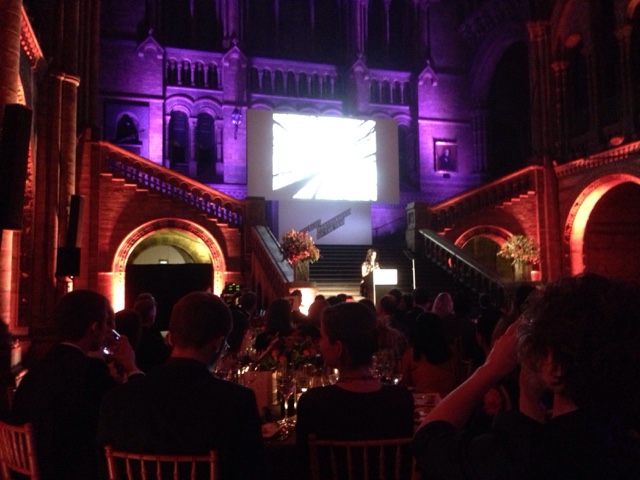 It’s been a great night meeting all the finalists here, just finished the dalek looking ice cream, not long now till the final awards are announced,
Clients Advisory: Lightroom 6.2 CC 2015.2
 Adobe have updated Lightroom 6 and CC today to version 6.2 (CC 2015.2)
I would advise clients not to apply this update yet as it significantly messes around with the critical import process.
Not only does it lose functionality (including the live destination tree view) it is also slower and buggier.
As most clients have a very structured import process that relies on presets to get the most efficient workflow I’m afraid preset access is now buried in the sub menu of a separate page when running the import.
I’m working through the new system now to try and engineer a replacement workflow that is as efficient so please bear with me whilst I do this. Once it is done I can advise each client on the best route for them.
It would appear that Adobe have changed the import process to simplify it for home users, the kind of people who use Photoshop elements rather than Photoshop. It would have been nice to have the option not to use this cut down version but Adobe have their own opinions.
Microsoft did something similar with Windows 8, they removed the start menu, the result was not good (until Windows 10 put it back), I don’t think Adobe have quite done a Microsoft but judging by feedback on the forums users are not best pleased by Adobes actions.
If the engineers at Adobe need something to do then I have plenty of useful suggestions including:
Managing duplicate images (retaining collection status)
File corruption checking of images
Larger curves adjustment boxes (sizable for other controls also)
Presenting a copyable
url for the web gallery uploads
….