Slides

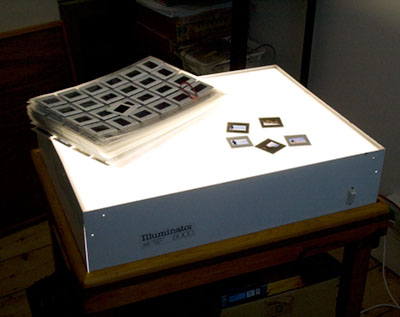
A few times in the last month I have been editing film collections from clients, slides – on a light box!.
Goodness its strange how quickly film has become so “odd” to deal with, my lightbox is built onto a wooden trolley that I have been using to sit my Epson A2 printer so first thing to do was clear the printer off and fire up the tubes.

I only mention this because I can sense that the window to digitize old images is closing a little each day. Many of the services to digitize film to Getty standard have closed or diversified into other areas. Of course there are still scanners made such as the Flextight and Nikon scanners – but for how long?

If you have a large collection of film images then consider digitizing the core valuable images soon.

A few of my clients have been using the services offered by Andrew Jackson at ACTPIX in Wales www.actpix.com. The quality of his drum scanned images is really very good and he is an accredited scanning service for Getty.

Just in case your wondering – my clients deal directly with Andrew and I don’t receive commission.


Slideshow actions


I have developed some Photoshop actions that prepare and format image files for digital projection.
These actions take a lot of the work and hassle out of the slideshow creation process producing files that can be dropped directly into Microsoft Powerpoint and Apple Keynote software (and others) without the need to resize them etc.
There is a little bit of magic sauce in them that overcomes the “flattening” that commonly occurs with digital projectors.
From these actions you can create droplets and drop any number of images (both horizontal and vertical at the same time) and the files will be processed and placed in an output folder.

The actions currently work with the following data projector resolutions:

800 x 600
1024 x 768
1400 x 1050
1920 x 1200

The actions are free to existing customers or people who have attended my workshops in the past. If you would like a copy of the actions and are not currently a client you can purchase the actions for £20 (incl VAT).

Existing clients click here to request actions or purchase them using the button below (I will email you the actions as soon as I receive the payment).


Leopard results (updated)

Well, I have done some limited tests and so far, not too bad:

The Good
Photoshop runs (that’s a good sign!)
My disk heavy Photoshop action runs faster under Leopard:

(average of 3 runs)
Tiger = 143 seconds
Leopard = 110 seconds

Thats quite snappy.

The Bad
I cannot print to my Epson 3800 printer until sometime in November when Epson will release an updated driver (thank heavens I can print using my Vista PC!). Other Epson printers are effected including the 2400 more details here: Epson

The Annoying
You will need to re profile your monitor after you install Leopard
If you use bootcamp to dual boot windows don’t forget to go into windows and load the latest drivers from the DVD.

Conclusion
From my limited tests it would appear that Photoshop runs a little faster when running Photoshop tasks that are disk bound (swap,loading,saving) so that’s a plus point.

Other potential reasons to upgrade? well, to be honest not many, look at the new features and see if your convinced.

Visually things seem less clean and lack the old Mac “purity” it looks more cluttered and busy like Windows Vista.

If you need to make prints in the next month on an Epson inkjet then don’t upgrade just yet. There may be other problems, I will report back if I find them. In the meantime check out other reports on Leopard on the internet.

StephenReporting from the bleeding edge.


Monday Update

Im benchmarking Photoshop under Tiger now using a custom made action that I will then re run under Leopard when I install it in about an hours time. I will post the results asap.

To anyone from Saturdays Wildphotos conference:

Later this week I will be producing a version of my slide show with some notes and this will be available free – just email me with the text Imaging show request in the subject line (feel free to put something about yourself in the body of the email).

Email me here

Stephen


OS X 10.5 Leopard

I have pre ordered the new operating system from Apple and will be installing it as soon as it arrives.

I will then be able to tell if it messes up anything Photoshop related and let you know.

Any existing clients may wish to resist the tempatation to upgrade until then. Its not likely to impact productivity much but I will benchmark Photoshop CS3 before and after upgrading to see if there are any speed changes.

Stephen

http://store.apple.com/Apple/WebObjects/ukstore.woa/wa/RSLID?mco=7FD5D34F&fnode=home&nplm=MB021


Major revamp of PC drivers for current Epson printers

In a move that has taken me by surprise and given me quite a shock, Epson have released some new printer drivers that are really quite nicely done: More logical layout! You can now save all relevant settings under a preset! It makes sense!
Whats happened? has the lead programmer at Epson retired and been replaced? Were the old drivers written by Canon? Did Epson think the joke had gone on long enough?
In any case the new drivers are a BIG improvement. They are available for the pc to drive all current printers here (sorry 2100 users):

http://esupport.epson-europe.com/

Its the 6.5a drivers that you will need.

Boot note: these drivers work on one Vista PC that the engineer said was incapable of network printing because of some vague compatibility problem with my switch, it sounded a load of tosh when he said it and these drivers prove it – the fault lay with Epsons programming.